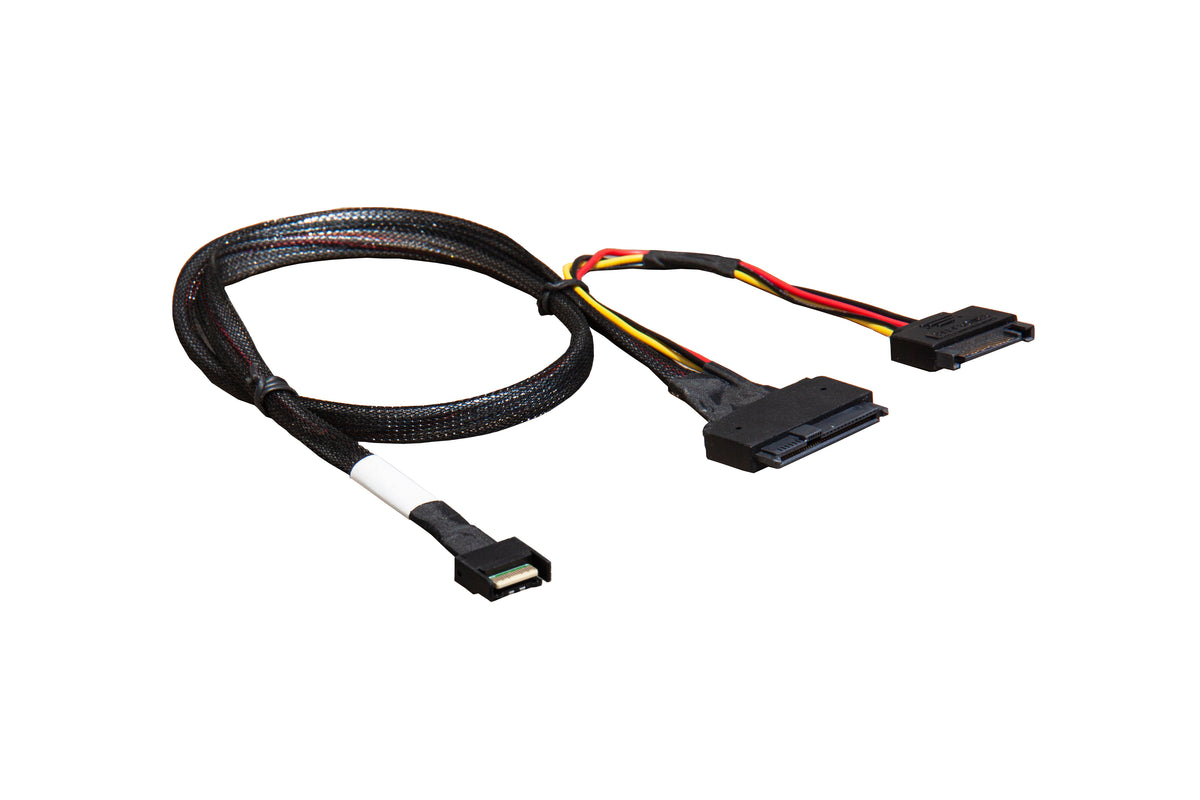
DiLinKer PCIe 5.0 MCIO x4 to U.2 NVMe Adapter, SFF-TA-1016 to SFF-8639 Cable with Power, Cable 70cm
DiLinKer PCIe 5.0 MCIO x4 to U.2 NVMe Adapter, SFF-TA-1016 to SFF-8639 Cable with Power, Cable 70cm
Attach a U.2 (SFF-8639) NVMe drive directly to an MCIO header. This PCIe 5.0 assembly starts with an MCIO 4x connector (SFF-TA-1016, 38-pin) and ends in a U.2 drive interface, with a power branch built into the cable so one part does the whole job. It is the shortest path from a Gen5 board’s MCIO x4 headers to 2.5-inch U.2 NVMe SSDs — no adapter card, no backplane.
Why this cable
- PCIe 5.0 rated. A full x4 link at 32 GT/s per lane — about 15.75 GB/s to a Gen5 U.2 SSD.
- Direct drive attach. Reaches the U.2 drive itself; no backplane or adapter card in between.
- Power built into the assembly. The cable carries the drive power branch, so you do not need a separate U.2 power adapter.
- 70 cm of reach. Comfortable routing from board headers to a 2.5-inch drive bay.
- Passive assembly. No firmware, no driver, nothing to configure.
Specifications
| Host connector | MCIO 4x, SFF-TA-1016, 38-pin |
| Device interface | U.2 NVMe, SFF-8639 |
| Power | Integrated power branch for the drive |
| Lane configuration | 4 lanes, 1:1 |
| Interface speed | PCIe 5.0, up to 32 GT/s per lane |
| Length | 70 cm / 27.6 in |
| SKU / identifier | SR-0549-AX1 |
| Warranty | 24 months |
Compatibility
Works with
- Boards with MCIO 4x (SFF-TA-1016) 38-pin headers carrying PCIe.
- 2.5-inch U.2 (SFF-8639) NVMe SSDs, Gen4 and Gen5.
- Server and workstation chassis with standard drive power (SATA-style or MOLEX via the branch).
Does not work with
- U.2 drives behind a backplane — for that, run an MCIO cable to the backplane port instead.
- M.2 slots — this is a U.2 (2.5-inch) assembly.
- SAS/SATA U.2 drives behind SAS hosts — NVMe requires a PCIe-capable host port.
Typical deployments
- Gen5 board to U.2 SSD. The direct MCIO-to-drive run on current platforms.
- Front bay NVMe. Feed a 2.5-inch bay from an MCIO header without a backplane.
- Lab benches. Quick U.2 device attach for testing Gen5 SSDs.
Frequently asked questions
Do I still need a separate power cable for the drive?
No. The assembly includes the power branch, so the drive’s power comes along with the data cable from a standard internal power source.
Will it run a Gen4 U.2 SSD?
Yes. The link negotiates to the device speed, so Gen4 and Gen3 drives run at their rated rates.
MCIO x4 or x8 — which do I have?
The 38-pin plug is x4, the 74-pin plug is x8. This cable is x4; if your header is the 74-pin type, use the MCIO x8 to 2×U.2 NVMe cable instead.
Does the drive need to be NVMe?
For PCIe hosts, yes — U.2 SAS drives will not enumerate on a PCIe port. The cable itself is passive and carries whatever the host and drive agree on.
In the box
- 1 × MCIO x4 to U.2 NVMe adapter cable with power, 70 cm (SKU SR-0549-AX1)
Backed by a 24-month warranty. If a link trains at reduced width or does not appear, contact us with your controller and device models and we will help you isolate the cause.
Related
Product features
Product features
Materials and care
Materials and care
Merchandising tips
Merchandising tips
Share