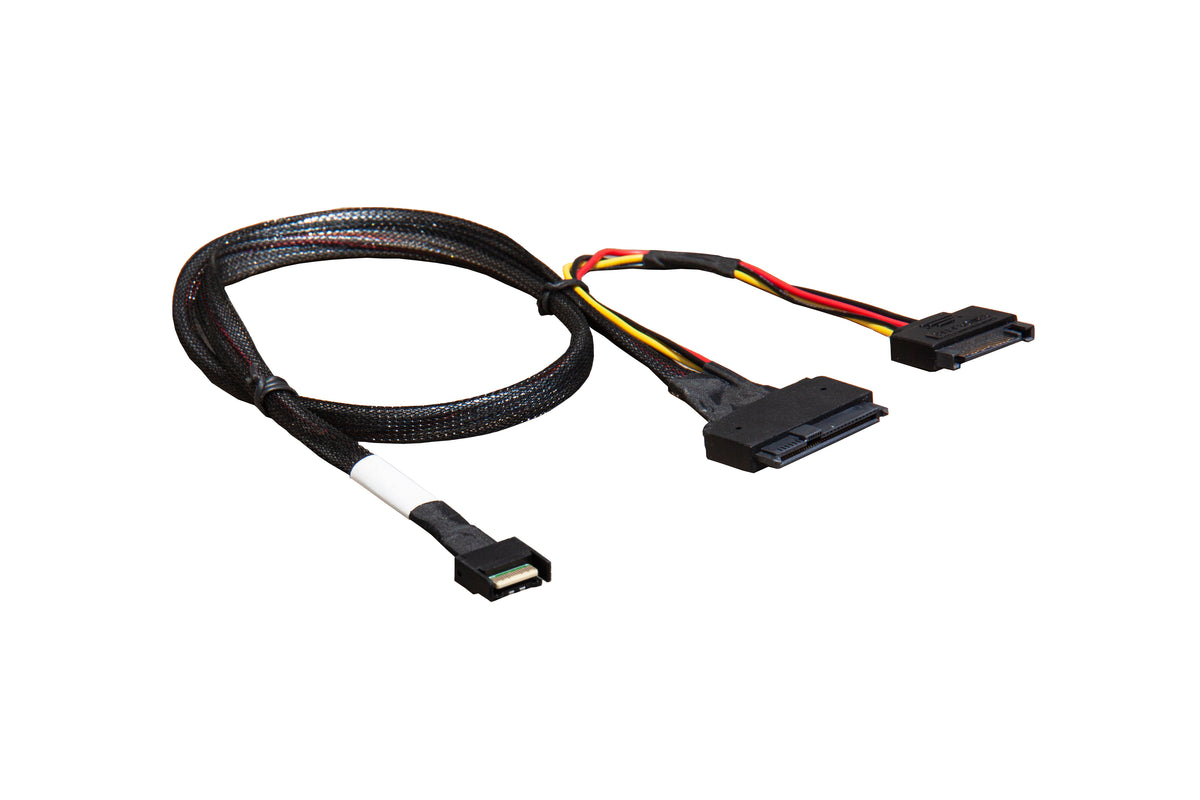
MCIO x4 (SFF-TA-1016) to U.2 (SFF-8639) Cable with Power, 70 cm
MCIO x4 (SFF-TA-1016) to U.2 (SFF-8639) Cable with Power, 70 cm
Bulk & OEM pricing available · Reply within 24 hours
Attach a U.2 (SFF-8639) NVMe drive directly to an MCIO header. This PCIe 5.0 assembly starts with an MCIO 4x connector (SFF-TA-1016, 38-pin) and ends in a U.2 drive interface, with a power branch built into the cable so one part does the whole job. It is the shortest path from a Gen5 board’s MCIO x4 headers to 2.5-inch U.2 NVMe SSDs — no adapter card, no backplane.
Why this cable
- PCIe 5.0 rated. A full x4 link at 32 GT/s per lane — about 15.75 GB/s to a Gen5 U.2 SSD.
- Direct drive attach. Reaches the U.2 drive itself; no backplane or adapter card in between.
- Power built into the assembly. The cable carries the drive power branch, so you do not need a separate U.2 power adapter.
- 70 cm of reach. Comfortable routing from board headers to a 2.5-inch drive bay.
- Passive assembly. No firmware, no driver, nothing to configure.
Specifications
| Host connector | MCIO 4x, SFF-TA-1016, 38-pin |
| Protocol | PCIe (NVMe) |
| Device connector | U.2 NVMe, SFF-8639 |
| Power | Integrated power branch for the drive |
| Lanes | 4 lanes, 1:1 |
| Interface speed | PCIe 5.0, up to 32 GT/s per lane |
| Cable length | 70 cm / 27.6 in |
| SKU | SR-0549-AX1 |
| Warranty | 12 months |
Compatibility
Works with
- Boards with MCIO 4x (SFF-TA-1016) 38-pin headers carrying PCIe.
- 2.5-inch U.2 (SFF-8639) NVMe SSDs, Gen4 and Gen5.
- Server and workstation chassis with standard drive power (SATA-style or MOLEX via the branch).
Does not work with
- U.2 drives behind a backplane — for that, run an MCIO cable to the backplane port instead.
- M.2 slots — this is a U.2 (2.5-inch) assembly.
- SAS/SATA U.2 drives behind SAS hosts — NVMe requires a PCIe-capable host port.
Typical deployments
- Gen5 board to U.2 SSD. The direct MCIO-to-drive run on current platforms.
- Front bay NVMe. Feed a 2.5-inch bay from an MCIO header without a backplane.
- Lab benches. Quick U.2 device attach for testing Gen5 SSDs.
Frequently asked questions
Do I still need a separate power cable for the drive?
No. The assembly includes the power branch, so the drive’s power comes along with the data cable from a standard internal power source.
Will it run a Gen4 U.2 SSD?
Yes. The link negotiates to the device speed, so Gen4 and Gen3 drives run at their rated rates.
MCIO x4 or x8 — which do I have?
The 38-pin plug is x4, the 74-pin plug is x8. This cable is x4; if your header is the 74-pin type, use the MCIO x8 to 2×U.2 NVMe cable instead.
Does the drive need to be NVMe?
For PCIe hosts, yes — U.2 SAS drives will not enumerate on a PCIe port. The cable itself is passive and carries whatever the host and drive agree on.
In the box
- 1 × MCIO x4 to U.2 NVMe adapter cable with power, 70 cm (SKU SR-0549-AX1)
Backed by a 12-month warranty. If a link trains at reduced width or does not appear, contact us with your controller and device models and we will help you isolate the cause.
Related
Share