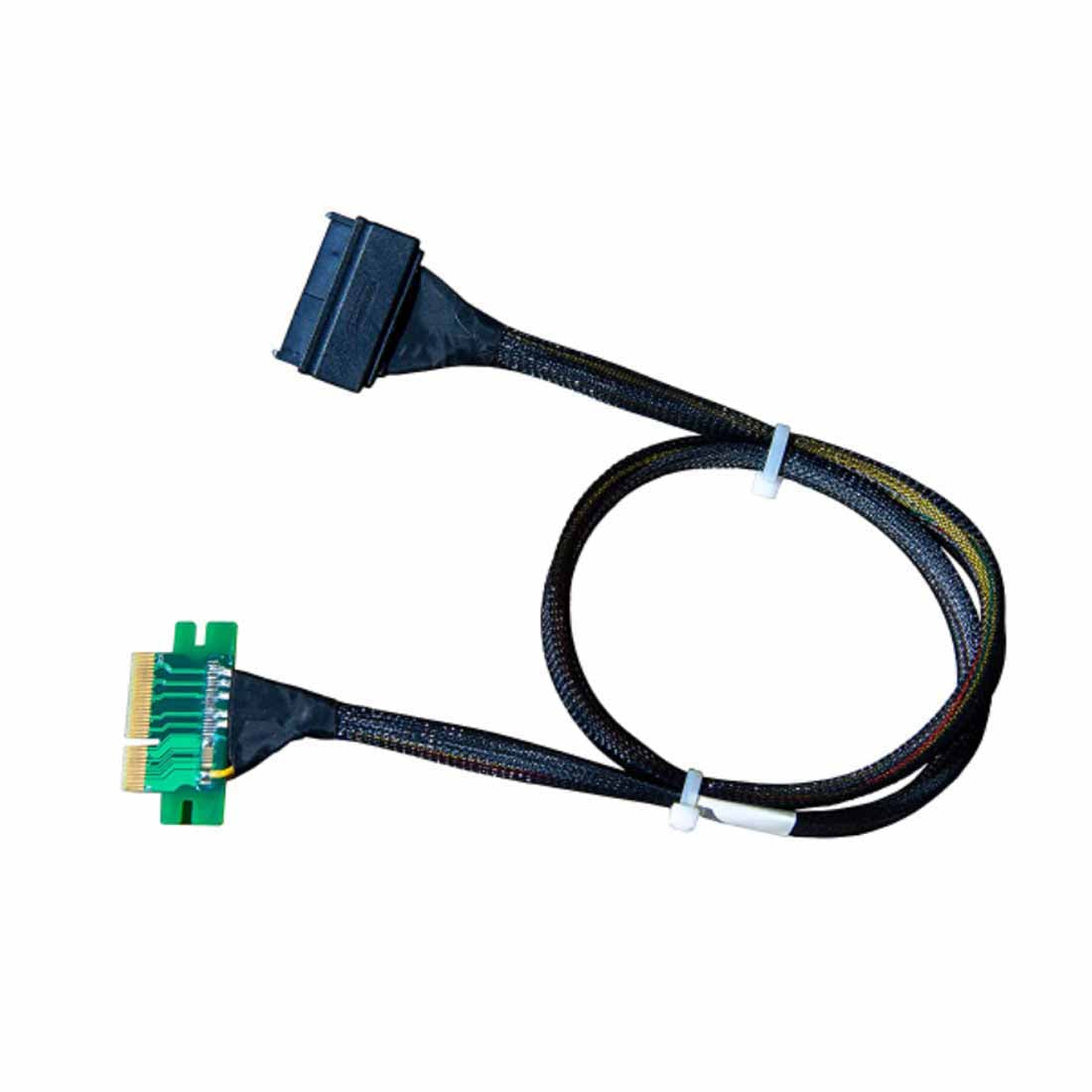
DiLinKer PCIe 4.0 x4 to U.2 NVMe Cable, SFF-8639 68-Pin, 70cm, Slot-Powered (No Extra Power Plug)
DiLinKer PCIe 4.0 x4 to U.2 NVMe Cable, SFF-8639 68-Pin, 70cm, Slot-Powered (No Extra Power Plug)
A cable that turns a standard PCIe x4 slot into a U.2 drive connector: a card-edge plug on one end, a 68-pin SFF-8639 plug on the other, 70 cm between them. There is no power tail, because the drive is fed straight from the slot — which is the whole point of this part, and also the reason it has a power budget you should check before you buy.
Why buy this instead of a U.2 adapter card
- No power lead to route. The x4 slot carries up to 25 W over its 12 V and 3.3 V rails, and this assembly passes that straight to the drive. Nothing to plug into the PSU, nothing to hide behind the motherboard tray — worth a lot in a small chassis.
- The drive stays in a proper bay. An adapter card hangs a 2.5″ SSD off the back of the card, which not every chassis can support. With this cable the drive goes where it belongs, in a cage or on a tray, and only the cable reaches the slot. Better airflow, better vibration behaviour.
- 68-pin connector, not a card-edge compromise. The drive side is a real SFF-8639 plug with the full pin field, so it seats the way a U.2 connector is meant to seat, and it survives being unplugged repeatedly far better than an adapter that relies on a press-fit.
- Honest note on PCIe 4.0 and 70 cm. The assembly is listed for Gen4 and works on Gen4 in our testing, but 70 cm of passive copper is close to the edge of what Gen4 tolerates. Some boards will train at Gen4, some will drop to Gen3 and be perfectly happy there. You lose bandwidth in the second case, never the drive.
Specifications
| Host side | PCIe x4 card-edge (plugs into any x4, x8 or x16 slot) |
| Drive side | U.2 / SFF-8639, 68-pin |
| Length | 70 cm end to end |
| Power | From the PCIe slot — no SATA or Molex lead required |
| Listed signal | PCIe 4.0 x4 (Gen3/Gen2/Gen1 backward compatible) |
| Protocol | NVMe over PCIe |
| SKU | B09S3C1BSR |
Compatibility
Works with
- Desktop, workstation and server boards with a free x4 (or larger) PCIe slot
- 2.5″ U.2 NVMe SSDs — Intel DC P3500 / P3600 / P3700, Samsung XS1715, OCZ Z-Drive 6000, HGST Ultrastar SN100 and later drives from any vendor
- Chassis with a 2.5″ bay within 70 cm of the slot
- Builds where you cannot or will not route another power lead
Does not work with
- Drives that draw more than the slot can supply — most enterprise U.2 SSDs sit inside the budget, but high-power and PLP-heavy models may not; check the drive’s datasheet
- SAS or SATA drives — the 68-pin end is PCIe-wired
- U.2 backplanes, which need an 8643-to-8643 or an 8654-to-8643 cable
- x1 or x2 slots — the drive needs four lanes to enumerate
Typical deployments
- Compact workstation, one free x4 slot, no spare power lead. Drive in the 2.5″ bay, cable to the slot, done — no adapter card and no SATA power run.
- Existing tower with a U.2 drive pulled from a server. Reuse the drive in a desktop without buying a backplane or a RAID card.
- Bench rig where you swap drives often. The 68-pin plug takes repeated mating cycles better than a press-fit adapter.
Frequently asked questions
No power connector at all — how does the drive run?
From the slot. A PCIe x4 slot provides 12 V and 3.3 V, and this cable passes both to the 68-pin connector. That is enough for most 2.5″ U.2 SSDs, which is why the design works at all — but it is not unlimited, so check the drive’s power figure if it is a high-end enterprise model.
Will it really run at PCIe 4.0?
On most Gen4 boards, yes; on some, the link will negotiate down to Gen3. At 70 cm of passive copper there is very little margin left, and we would rather tell you that than promise a number your board may not hit. Either way the drive works — Gen3 x4 still gives you around 3.5 GB/s.
Can I use it in an x16 slot?
Yes. A card-edge x4 plug fits any x4, x8 or x16 slot and uses the first four lanes. It will not give you more bandwidth in a wider slot — the drive is a four-lane device.
Does it work in a bifurcated slot?
It occupies the first four lanes of whatever slot it is in. Bifurcation splits a slot into independent x4 links, so as long as one of those links is free, the cable works normally.
What is the difference between this and your U.2 adapter card?
Where the drive lives. The adapter card mounts the SSD on the card itself and needs no cable; this cable lets the drive sit in a chassis bay, which is better for airflow and for chassis that cannot support a drive hanging off a card. Both use four PCIe lanes and both are slot-powered.
Drive is not detected after installation — where do I look?
Slot first (some boards disable x4 slots when an M.2 drive is fitted, or share lanes with SATA ports), then the 68-pin seating, then the drive’s own power budget. If the drive spins up but never appears in the OS, send us the board model and the SSD model.
In the box
- 1 × PCIe x4 to U.2 (SFF-8639) NVMe cable, 70 cm, slot-powered (SKU B09S3C1BSR)
Every cable is continuity- and pinout-tested before it ships and carries a 24-month warranty. If a link does not train, send us the controller model and the backplane part number before returning anything — in most cases the cable is the wrong variant for the port, not faulty, and we would rather tell you that up front.
Related
Product features
Product features
Materials and care
Materials and care
Merchandising tips
Merchandising tips
Share